 ChatMD
 Keep the provider and model choice in your hands.
MARKDOWN NOTES FOR WINDOWS
Your files. Your knowledge. One private workspace.
A Markdown editor for Windows that also edits the Word and PDF files beside your notes, and answers questions from your own notes with the AI you already use. No account. Nothing uploaded.
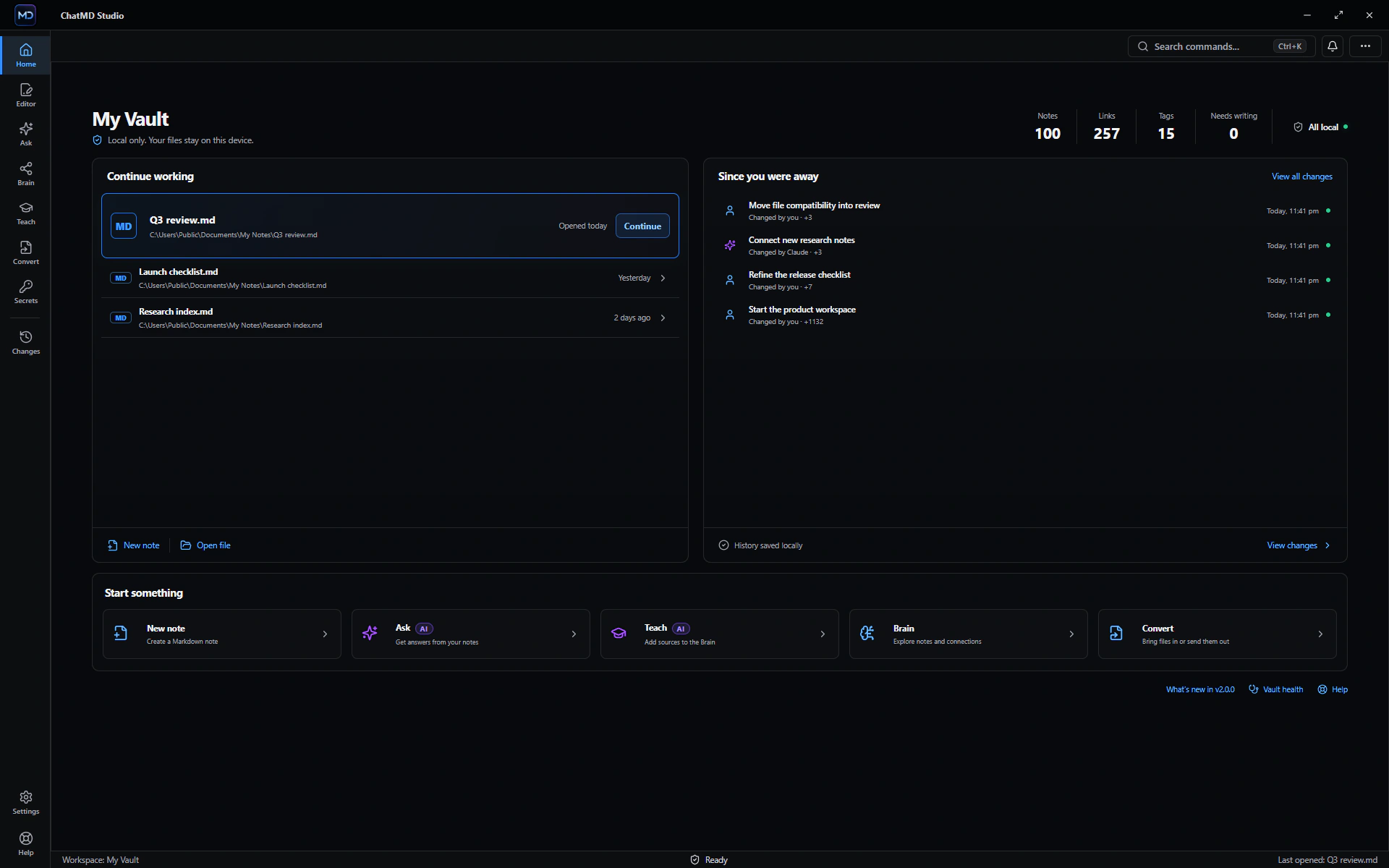
Local files No ChatMD account No telemetry No subscription
FROM FILES TO USEFUL KNOWLEDGE
A focused workflow for real knowledge work.
Start with the files you already own — an Obsidian vault opens as it is. ChatMD Studio helps you make them useful without moving them into somebody else's cloud.
- 01Write and organizeMarkdown with Live Preview, links, tags, templates and search.
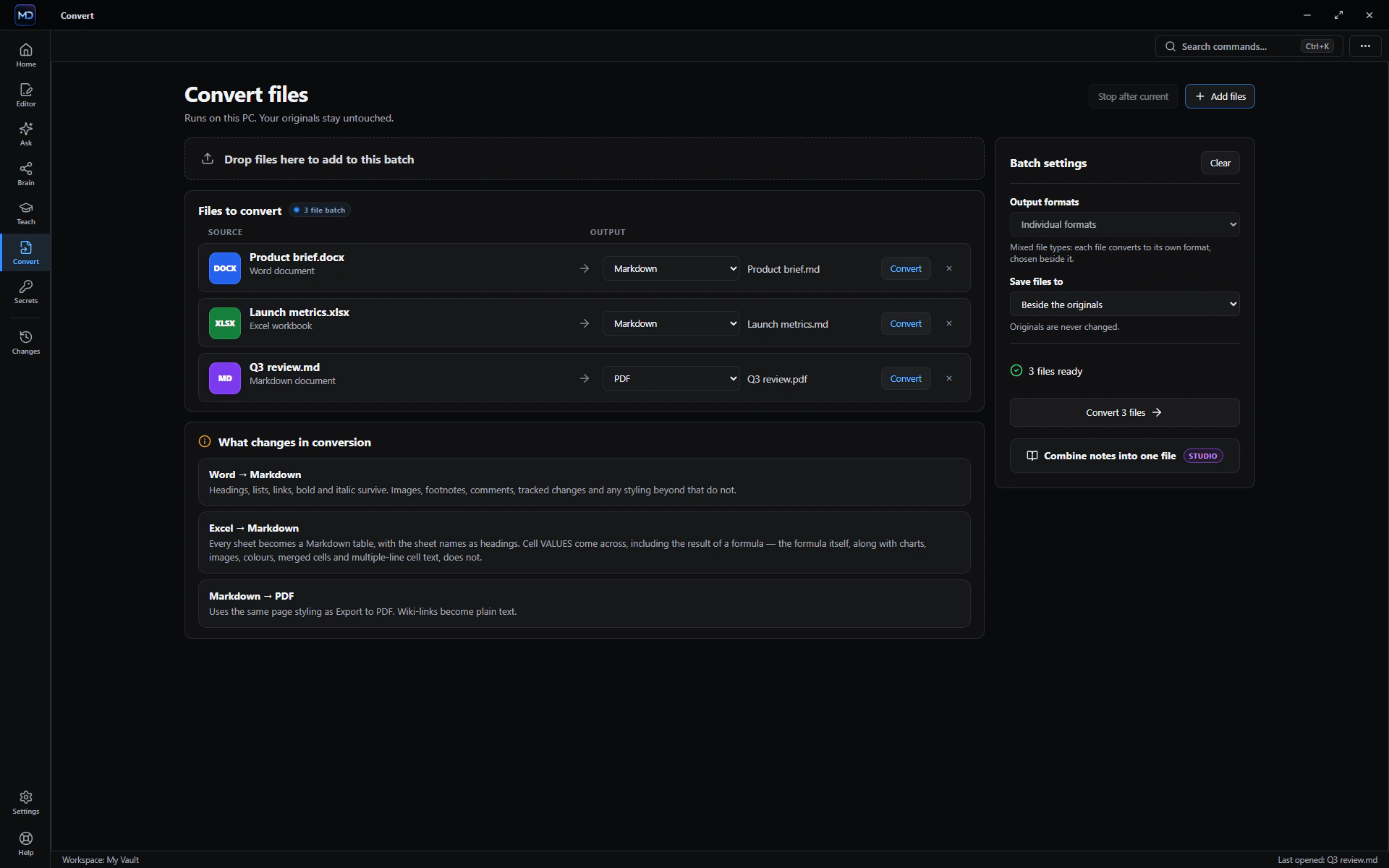
- 02Bring in real documentsEdit Word and PDF files where they are, or turn them into Markdown.
- 03Teach what it learnsChoose the sources. Nothing is added until you have read it.
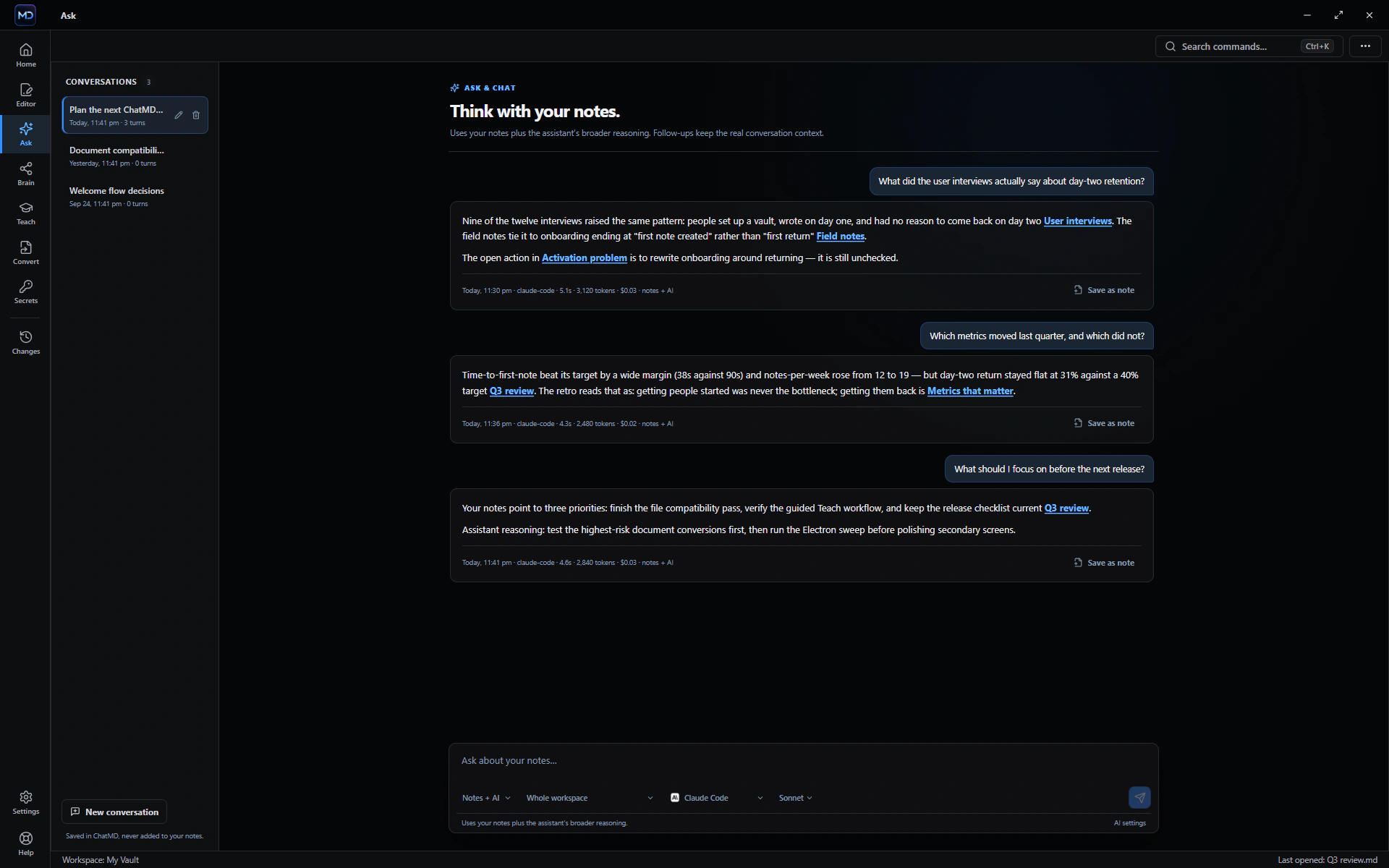
- 04Ask with citationsEvery answer names the note it came from.
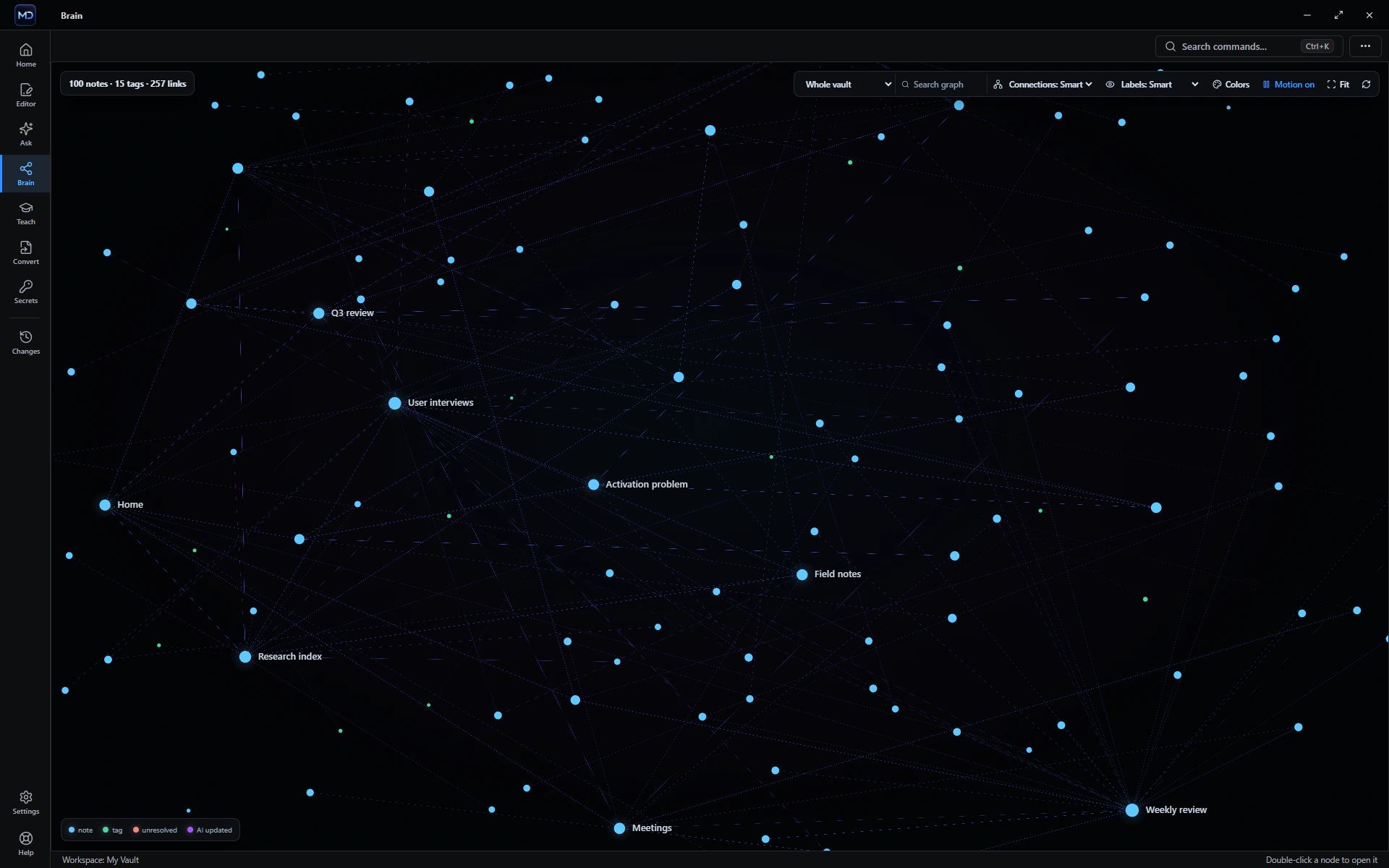
- 05Explore BrainA live map of how your notes link to each other.
- 06Review every changeChanges and Vault Health show what moved and what needs attention.
YOUR ASSISTANT, CONNECTED TO YOUR KNOWLEDGE
A brain your AI can actually use.
Connect Claude Code, Codex, Antigravity, Cursor, Ollama or another compatible command-line assistant, or bring your own Claude, OpenAI or Grok key. You choose the provider, the files it can use and when new knowledge is added.
Add pasted text, documents or articles only after review.
Open the citation and read the note it came from.
Brain maps real notes, tags and links locally.
MORE THAN MARKDOWN
Keep working with the files you already have.
Open, edit, read or convert each format through its safest supported path. ChatMD Studio explains the limits before a conversion runs.
PDFWordExcelPowerPointOpenDocumentEPUBHTMLCSV / TSVMarkdownTextSQLiteObsidian CanvasObsidian BaseScans (offline OCR)
See all supported formats
START FREE. UPGRADE ONCE.
A full Markdown editor, free. Answers from your own notes, $24.99 once.
Everything on the left is free forever. Studio adds the AI and review tools on the right, for one payment.
$0
Everything you need to write and keep your files.
- Write Markdown and see it rendered as you type
- Edit Word documents and PDFs right where they are
- Turn PDFs, Word, Excel and scans into Markdown notes
- Find any note by its words or by what it means
- Open an Obsidian vault as it is — nothing to import
$24.99 once
Your notes start answering back.
- Ask your notes a question; the answer links its sources
- Catch up on what changed since you were last here
- See how your notes connect, with an AI summary (Brain)
- Let your AI suggest links and tags, only from your vault
- Export notes to Word, PDF, slides or one combined book
One payment, no subscription, no trial timer, no limits on questions or files. Buy in the app or here; your key works on up to three of your PCs at once. Everything runs on your PC — the AI is the one you already have, and nothing is uploaded unless you send it.
CHATMD STUDIO FOR WINDOWS 10 AND 11
Start writing in a minute. Free, no account.
The installer comes straight from the Microsoft Store, so there is no Store page to click through. Studio is $24.99 once, in the app or here, whenever you want it. View it in the Microsoft Store