ChatMD Studio

Your files. Your knowledge. One private workspace.

Ask your notes questions. Convert PDFs and Office files into notes. Edit Word and PDF files in place. Your files stay on your PC, and the AI is the one you already use.

The browser version is a beta and is still being built. The Windows app has everything.

  • Local files
  • No account needed
  • No telemetry in the app
  • No subscription

AI features use an assistant you already have or your API key; provider charges may apply.

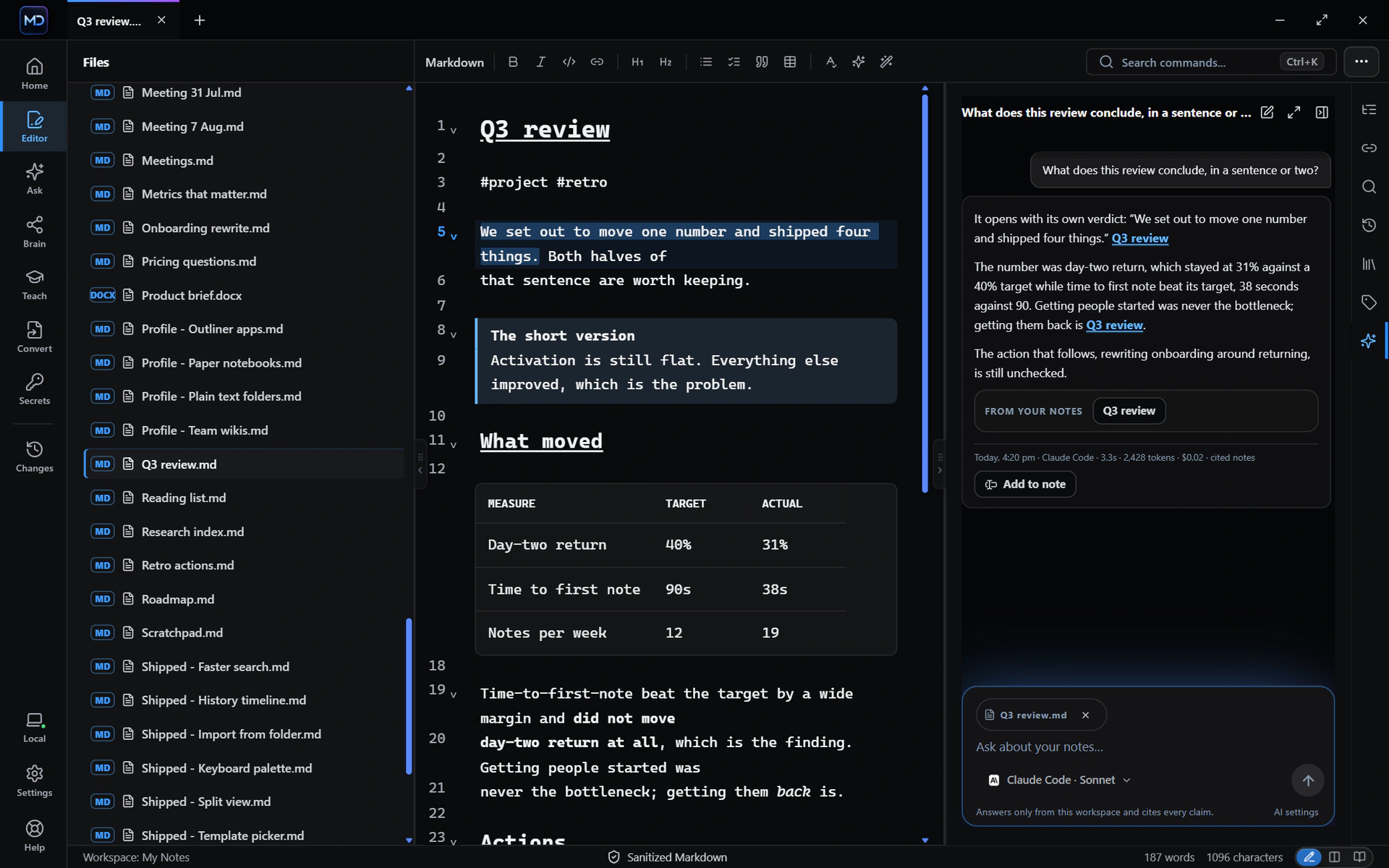
The ChatMD Studio editor with a note open and the chat answering a question about it, naming the note as its source

ASK & CHAT · STUDIO

Ask your notes.Every answer names its note.

Choose which files a question may use, then open a citation and read the note it came from.

  • Notes only, notes plus AI, or full chat — you choose how far it reaches.
  • When an answer uses your notes, every citation is checked against your folder — an answer that cites a note you don’t have is refused.
  • Turn an answer into an ordinary Markdown note, with its sources listed.

Ask

Relevant notes

Why did activation not improve, and what are we doing about it?

Why it didn't improve: The notes say the problem was never getting people started. Time to first note beat its target (38s vs 90s) and notes per week reached 19 against a target of 12, yet day-two return was 31% against a 40% target and didn't move. Q3 review concludes that getting people back is the bottleneck, not getting them started.

The interviews point to why. Nine of twelve people said some version of "I meant to come back to it." They left because nothing called them back, and their notes weren't where they expected to find them the next day. Seven of the twelve looked in the wrong folder first. User interviews

What we're doing about it:

  • Look at day-two retention before anything else, give the day-two problem its own note and an owner, and hold pricing back. Meeting 14 Aug
  • Ana is drafting the second-visit screen, and Ben is counting returns by cohort. Meeting 14 Aug
  • The onboarding rewrite (owner Ana Ruiz, in progress, due 2026-11-14) makes day two open on what the person was doing rather than on a welcome screen. It also makes the first note theirs rather than a tour, and asks for no account before it has been useful. Onboarding rewrite
  • Still open from the review: finish the rewrite around returning, and decide whether activation is even the right metric. Instrumenting the second session and re-reading the interviews for day two are done. Q3 review

The Activation problem note itself only poses the question ("why don't people come back on day two?") and doesn't answer it.
From your notes

Q3 reviewUser interviewsMeeting 14 AugOnboarding rewriteActivation problem

Claude Code · 9.2s · 6,286 tokens · $0.03 · cited notes

Add to note

Whole workspace

Why did activation not improve, and what are we doing about it?

Why it didn't improve: Getting people started wasn't the problem. Time to first note was 38s against a 90s target, and notes per week were 19 against 12. Day-two return was 31% against 40%, and the faster start did not move it at all. Q3 review concludes that getting people back is the bottleneck.

The interviews suggest why. The sentence "I meant to come back to it" came up nine times in twelve conversations. People left because nothing called them back, and their notes weren't where they expected to find them the next day. User interviews Seven of the twelve looked in the wrong folder first. User interviews

What we're doing about it:

  • Day-two retention comes first, the day-two problem gets its own note and an owner, and pricing waits. Meeting 14 Aug
  • Ana is drafting the second-visit screen, and Ben is counting returns by cohort. Both are still open. Meeting 14 Aug
  • Ana Ruiz owns the onboarding rewrite, which is in progress and due 2026-11-14. Day two will open on what the person was doing, not on a welcome screen. The first note will be theirs rather than a tour, and nothing will ask for an account before it has been useful. Onboarding rewrite
  • Two actions are still open from the review: rewrite onboarding around returning, and decide whether activation is the right metric. Instrumenting the second session and re-reading the interviews for day two are done. Q3 review

From your notes

Q3 reviewUser interviewsMeeting 14 AugOnboarding rewrite

Claude Code · 11.0s · 24,238 tokens · $0.04 · cited notes

Add to note

Recorded in English with Claude Code in ChatMD 2.3, over sample notes, and not edited. Nothing is sent to an AI while it plays.

Works with the AI you already use.

ChatMD Studio does not include an AI account or resell model access. Choose the assistant for each question — these are the names in the app’s picker.

Assistants on your PC

  • Claude Code
  • Codex
  • Antigravity (Google)
  • Ollama (on this PC)
  • Another command

ChatMD hands your question and the notes you chose to the assistant you pick. Ollama answers on your PC; the other tools make their own connections.

Or your API key

  • Claude API
  • OpenAI API
  • xAI API (Grok)

Kept in Secrets, encrypted on your PC. A key allowed for Ask is confirmed before every run.

Your provider's plan, usage limits, privacy terms and possible charges still apply.

CONVERT · FREE

Turn your files into notes. Free, on your PC.

PDF, Word, Excel, PowerPoint, EPUB, HTML and scanned pages become Markdown notes you can search, link and ask about.

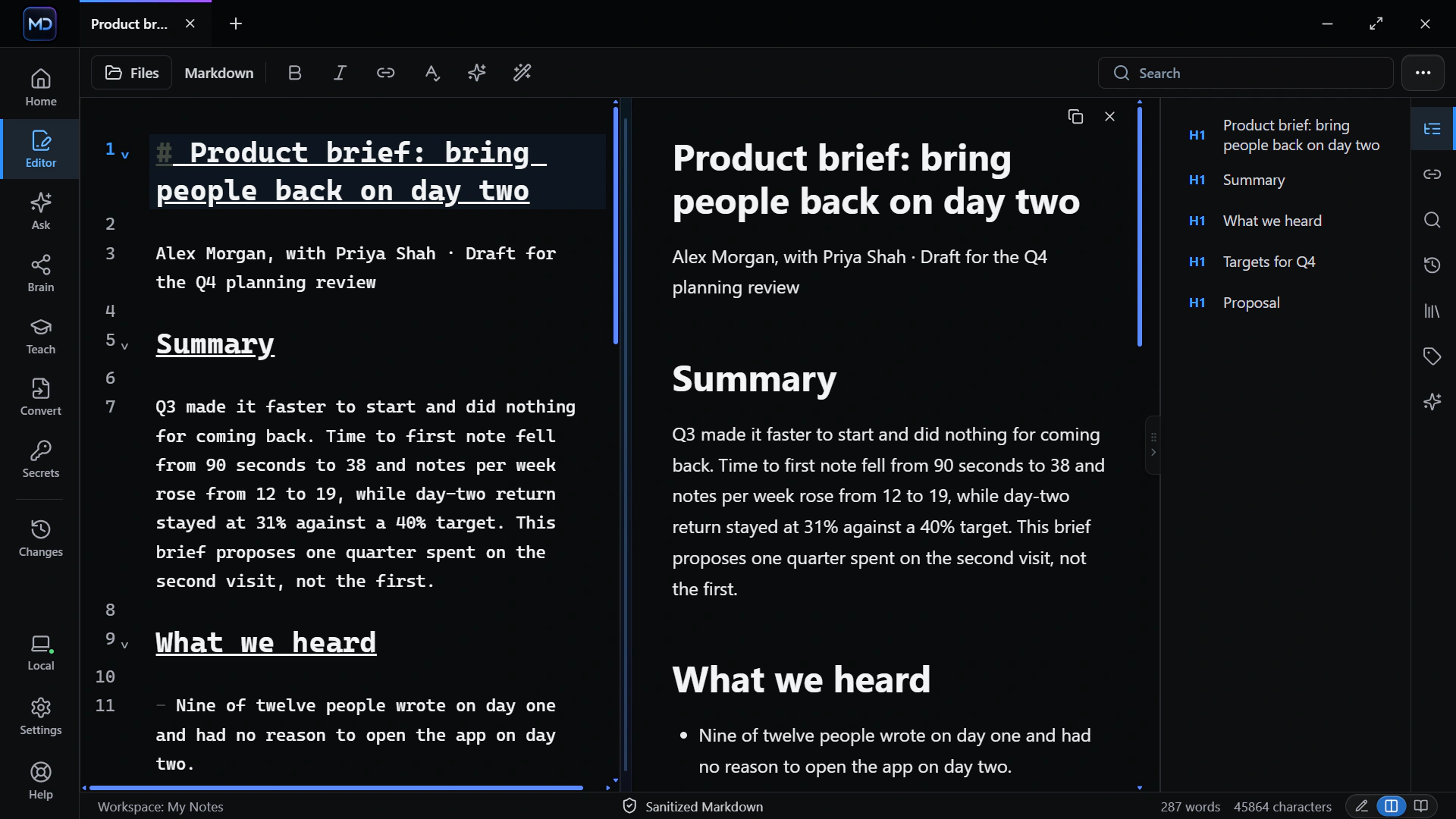
A Word document and a PDF converted to Markdown notes in Convert, and the first note opened

Recorded in English, in the app itself, over sample files.

See all supported formats

EDIT · FREE

Edit the document, not a flattened copy.

Word documents and PDFs open where they are and are edited where they are, beside your notes. Free, in the editor everyone gets.

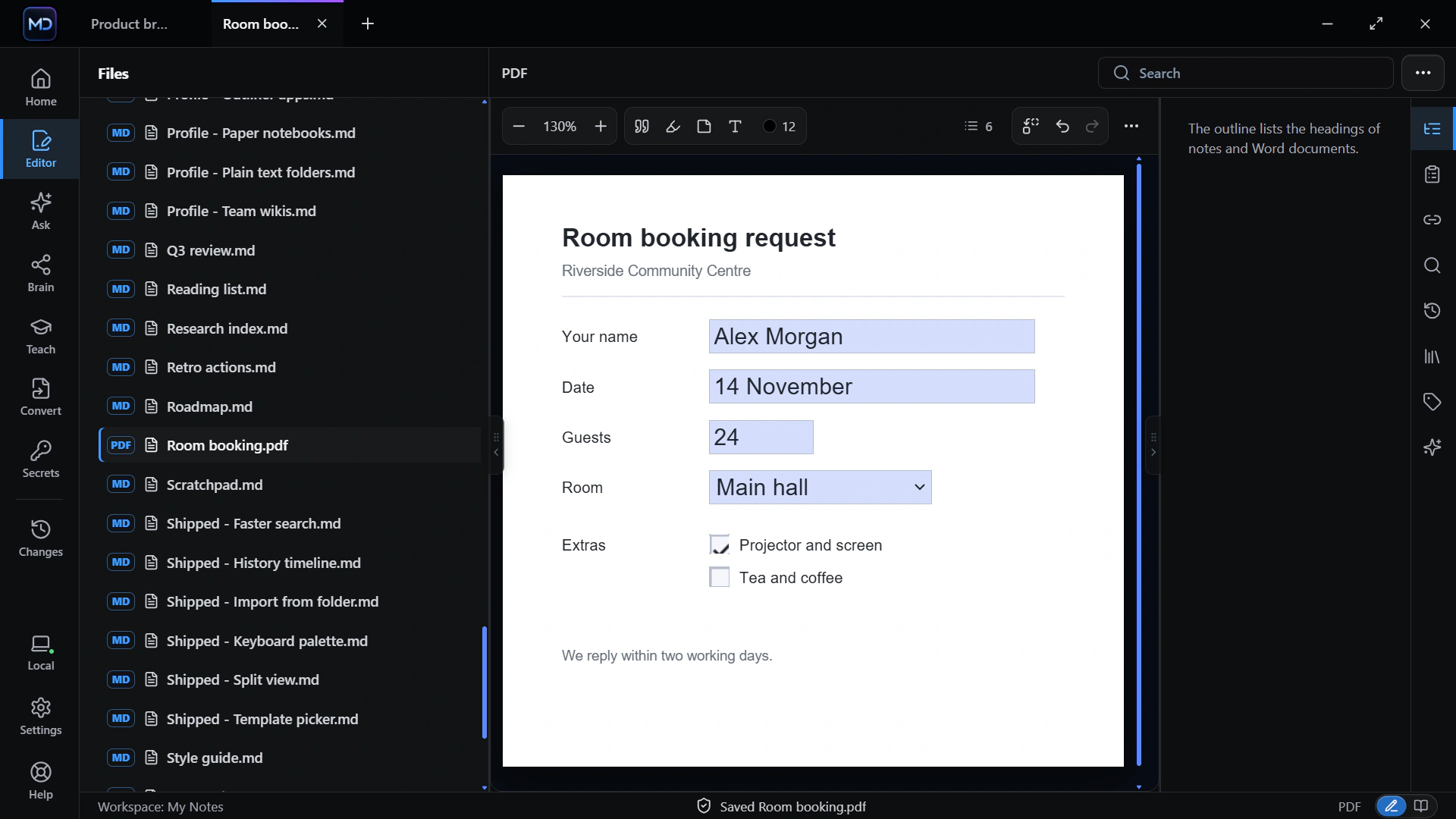
A sentence changed in a Word document, then a PDF form filled in, each saved where it is

Recorded in English, in the app itself, over sample files.

Explore all features

LOCAL FIRST

Your notes stay on your PC. ChatMD Studio works on the folder you already have. The AI is the one you already use, and nothing is uploaded unless you send it.

LEFT OUT ON PURPOSE

What you won’t find in ChatMD

A notes app sees everything you write. Here is what ChatMD leaves out, on purpose.

  • No account

    Install it and start writing. Signing in is optional.

  • No telemetry

    The app has no analytics, usage tracking or crash reporting.

  • No ads

    None in the app, and no advertising identifier.

  • No upload

    Your notes stay as files on your PC. ChatMD has no server that stores or reads them.

  • No training on your notes

    ChatMD never receives your notes, so it can’t train on them. When you ask a cloud AI, what you send goes to that provider, under its own terms.

  • No middleman

    Ask and Teach go straight to the AI you choose, with no ChatMD server in between.

  • No subscription

    The editor is free. Studio is one payment.

  • No lock-in

    Your notes are plain Markdown files in a folder you choose. Stop using ChatMD and they still open anywhere.

  • No update ping

    The app doesn’t check for updates itself. The Microsoft Store handles them.

See every connection the app can make, and check it yourself
  • No account

    Install it and start writing. Signing in is optional.

  • No telemetry

    The app has no analytics, usage tracking or crash reporting.

  • No ads

    None in the app, and no advertising identifier.

  • No upload

    Your notes stay as files on your PC. ChatMD has no server that stores or reads them.

  • No training on your notes

    ChatMD never receives your notes, so it can’t train on them. When you ask a cloud AI, what you send goes to that provider, under its own terms.

  • No middleman

    Ask and Teach go straight to the AI you choose, with no ChatMD server in between.

  • No subscription

    The editor is free. Studio is one payment.

  • No lock-in

    Your notes are plain Markdown files in a folder you choose. Stop using ChatMD and they still open anywhere.

  • No update ping

    The app doesn’t check for updates itself. The Microsoft Store handles them.

START FREE. UPGRADE ONCE.

A full Markdown editor, free. Answers from your notes, $24.99 once.

FREE EDITOR
$0

Everything you need to write and keep your files.

  • Write Markdown and see it rendered as you type
  • Edit Word documents and PDFs right where they are
  • Turn PDFs, Word, Excel and scans into Markdown notes
  • Find any note by its words or by what it means
  • See every change to your notes and restore an earlier version (Changes)
  • Open an Obsidian vault as it is — nothing to import
Download free
CHATMD STUDIO
$24.99 once

Your notes start answering back.

  • Ask your notes a question; the answer links its sources
  • Catch up on what changed since you were last here
  • See how your notes connect, with an AI summary (Brain)
  • Let your AI suggest links and tags, only from your vault
  • Export notes to Word, PDF, slides or one combined book
Buy Studio — $24.99

Prices in US dollars, plus applicable tax.

One payment, no subscription, no trial timer, no limits on questions or files. Buy in the app or here; your key works on up to three of your PCs at once.

CHATMD STUDIO FOR WINDOWS 10 AND 11

Start writing in a minute. Free, no account needed.

The installer comes straight from the Microsoft Store. Studio is $24.99 once, in the app or here, whenever you want it. View it in the Microsoft Store