ChatMD Studio Get it on the Microsoft Store

Features

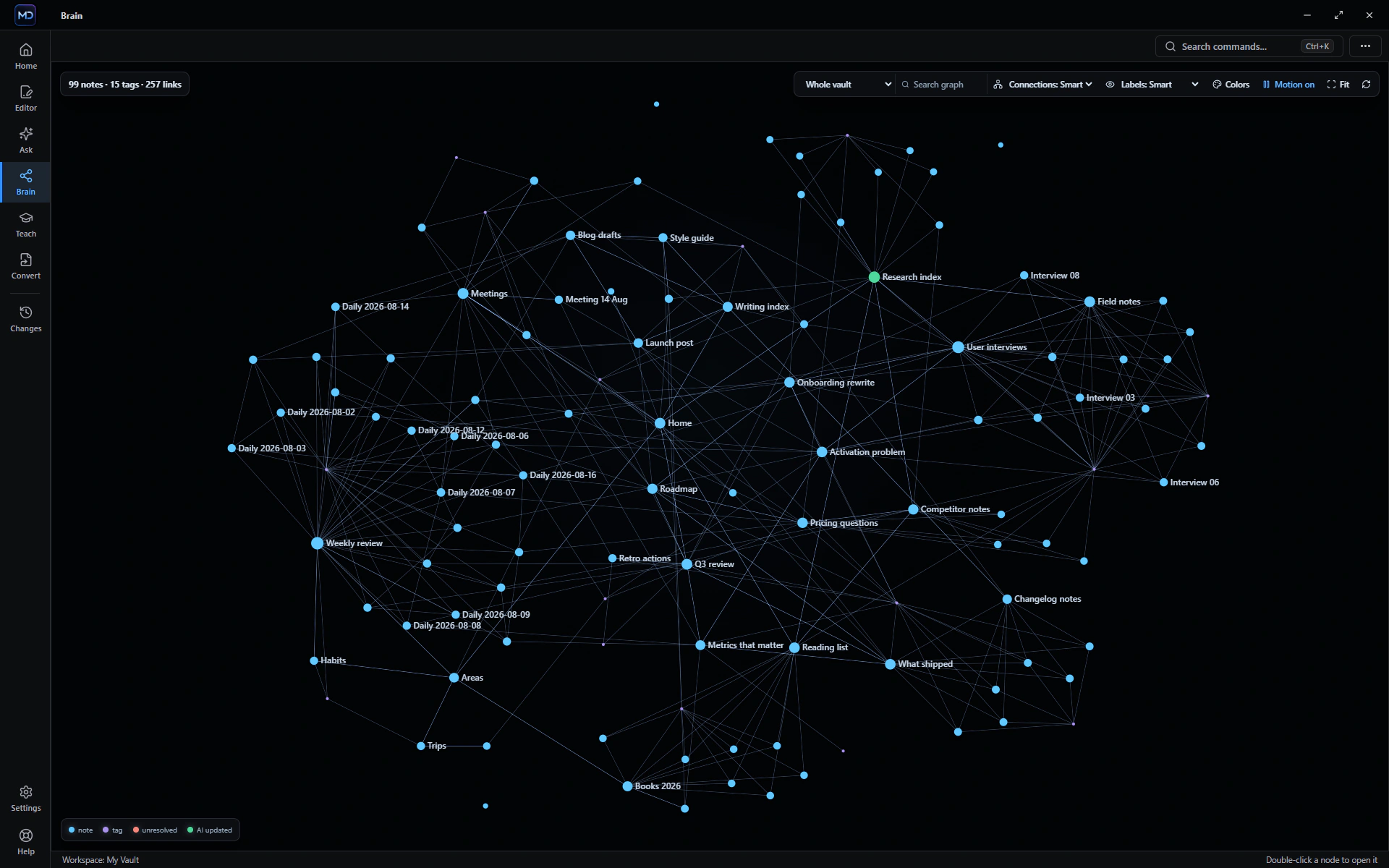
Your files become a working knowledge system.

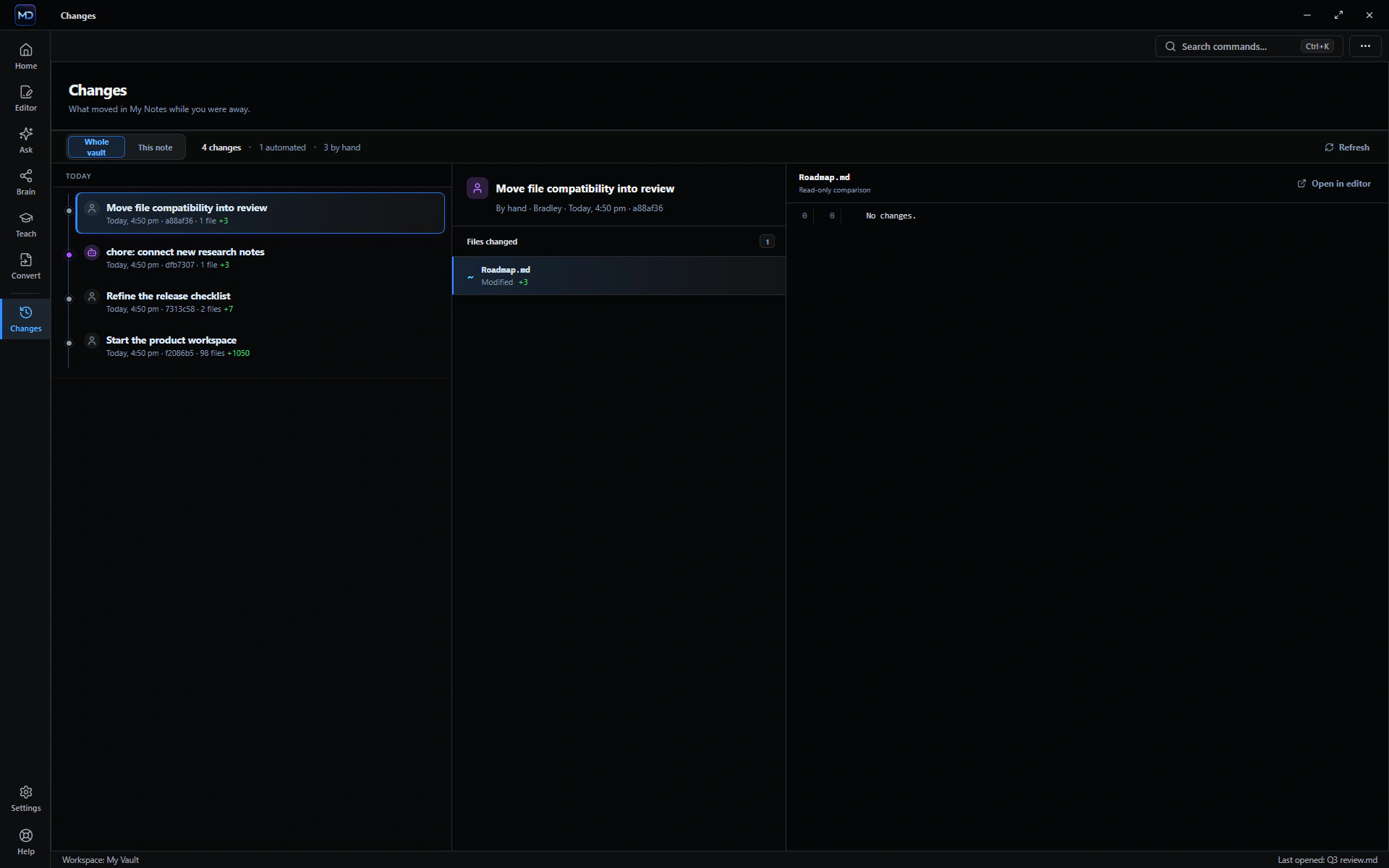
Edit real documents, convert them locally, work with the AI you choose, and keep every answer and change connected to its source.

One place to work.
Nothing trapped in it.

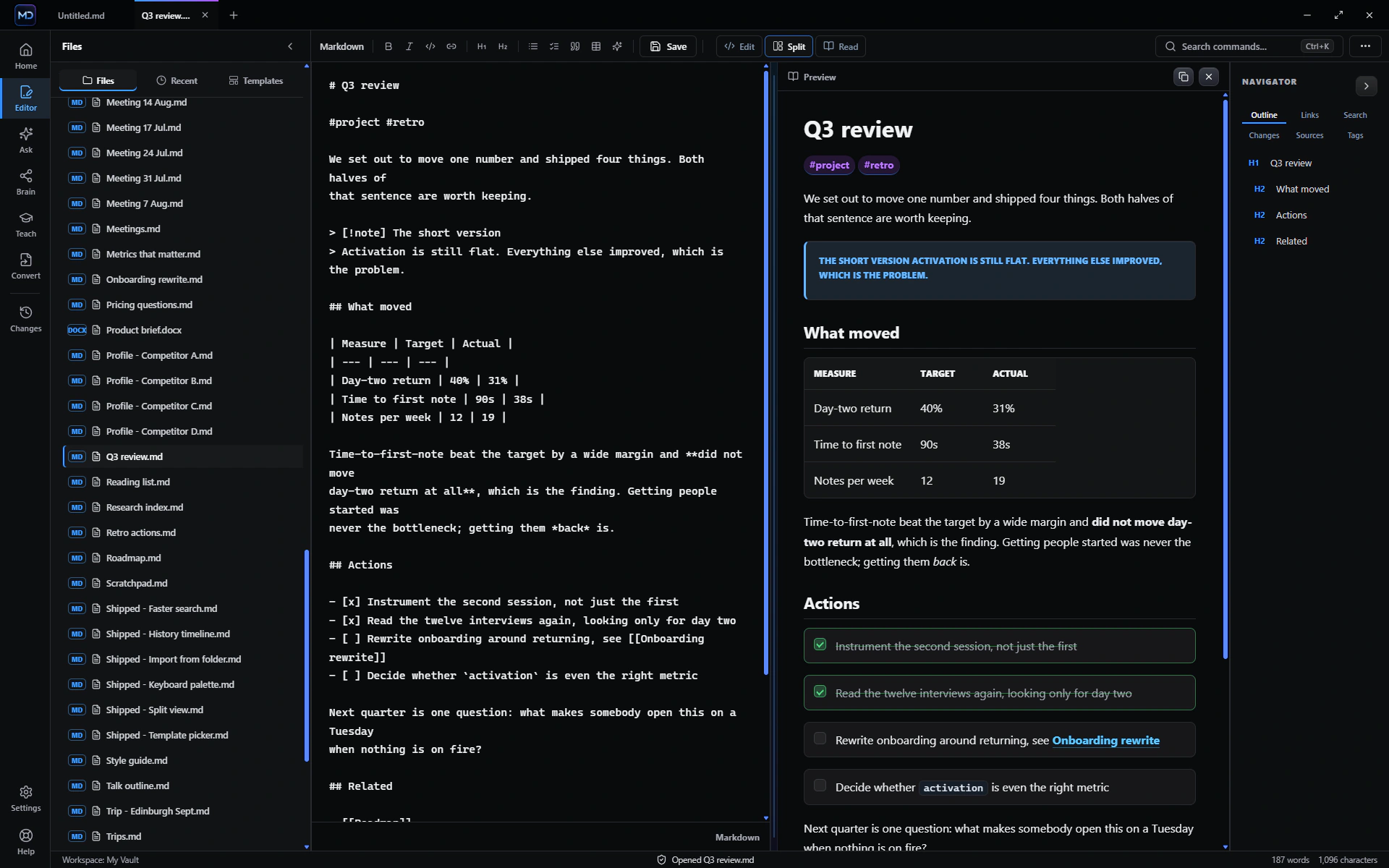
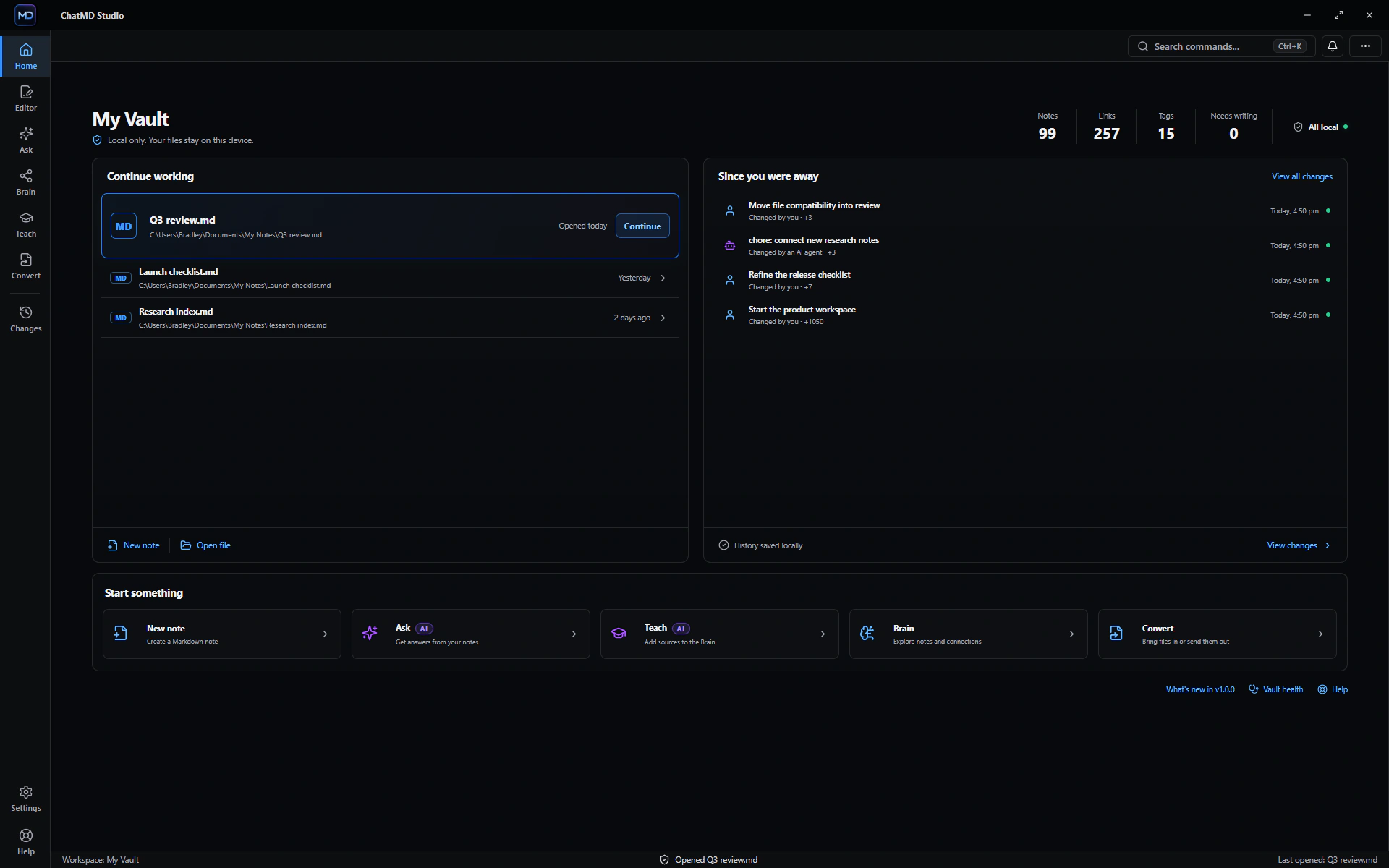
ChatMD Studio works with ordinary files on your PC. Start with the editor, then add conversion, AI, connected knowledge and local history only when they help.

ChatMD Studio workspace showing local files and recent work

Six parts. One workflow.

Move from a file to an answer without losing where either came from.

REQUIRES YOUR AI ASSISTANT

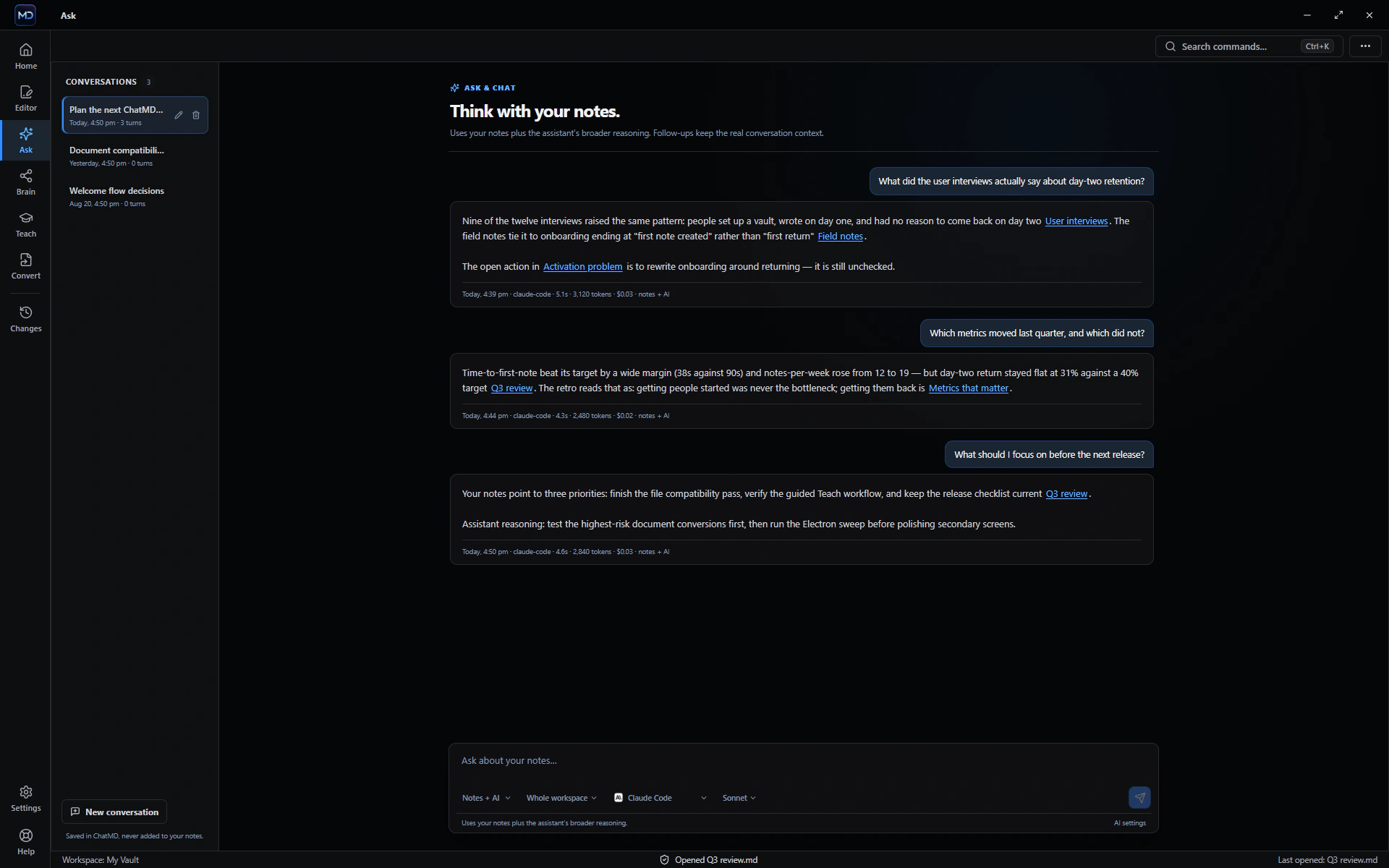
Ask with sources—or use the full assistant.

Choose how much freedom the AI gets: stay grounded in your files, combine file context with broader reasoning, or chat without limiting every answer to the vault.

  • Switch between notes-only, hybrid and full-chat modes
  • Point a question at a Context Pack — exactly the files you chose, and nothing else
  • Turn an answer into an ordinary Markdown note, verbatim, with its sources listed
ChatMD Studio ask workflow
Bring your own AI assistant.

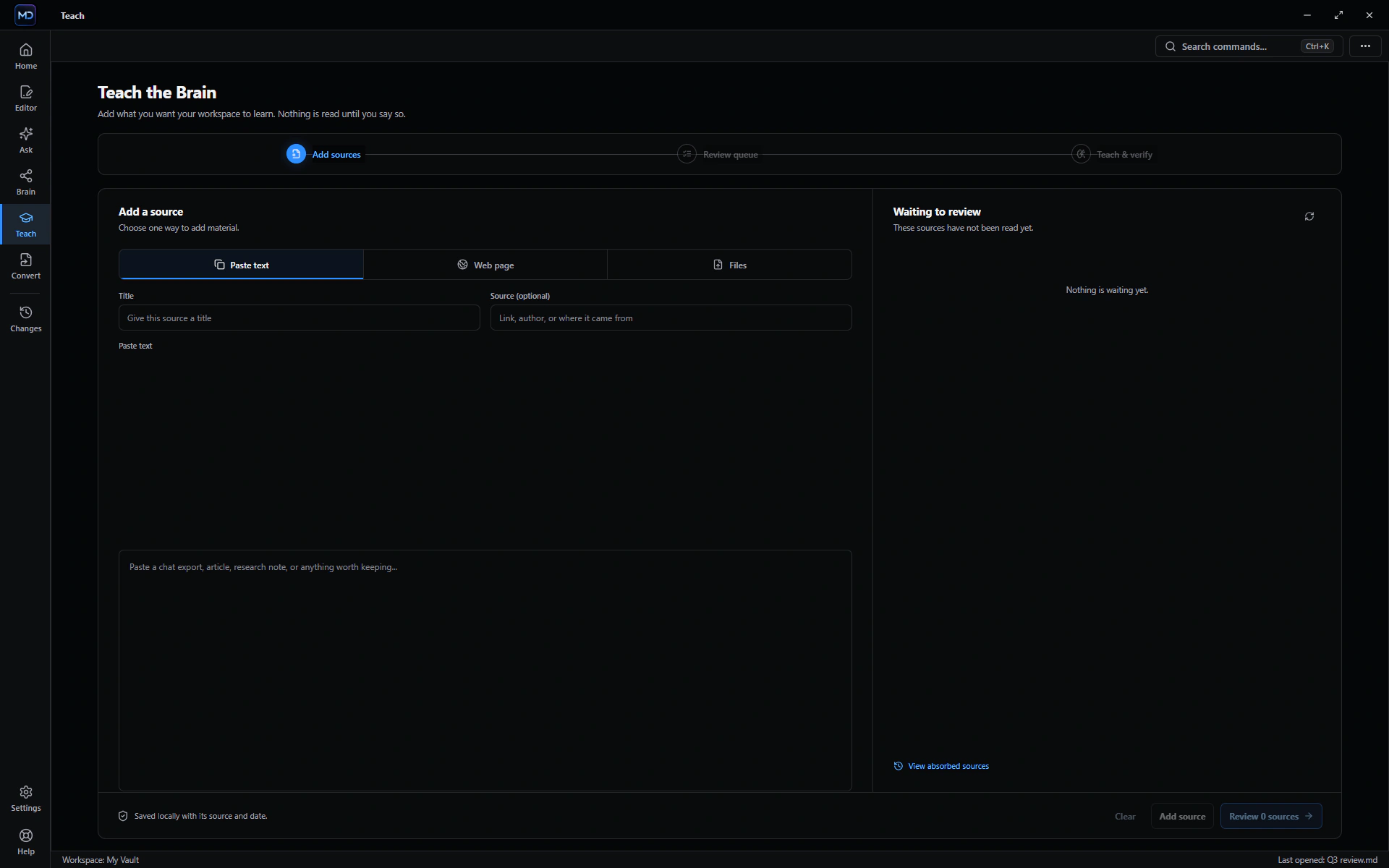
Ask, Teach and AI-written change review work with Claude Code, Codex, Antigravity, Ollama or another compatible command-line assistant installed on your PC.

Your provider stays separate.

ChatMD Studio does not include an AI account or resell model access. Your provider's plan, usage limits, privacy terms and possible charges still apply.

Work with the files you already have.

Open, edit, read or convert each format through its safest supported path.

PDFWordExcelPowerPointOpenDocumentEPUBHTMLCSV / TSVMarkdownTextSQLiteObsidian CanvasObsidian Base
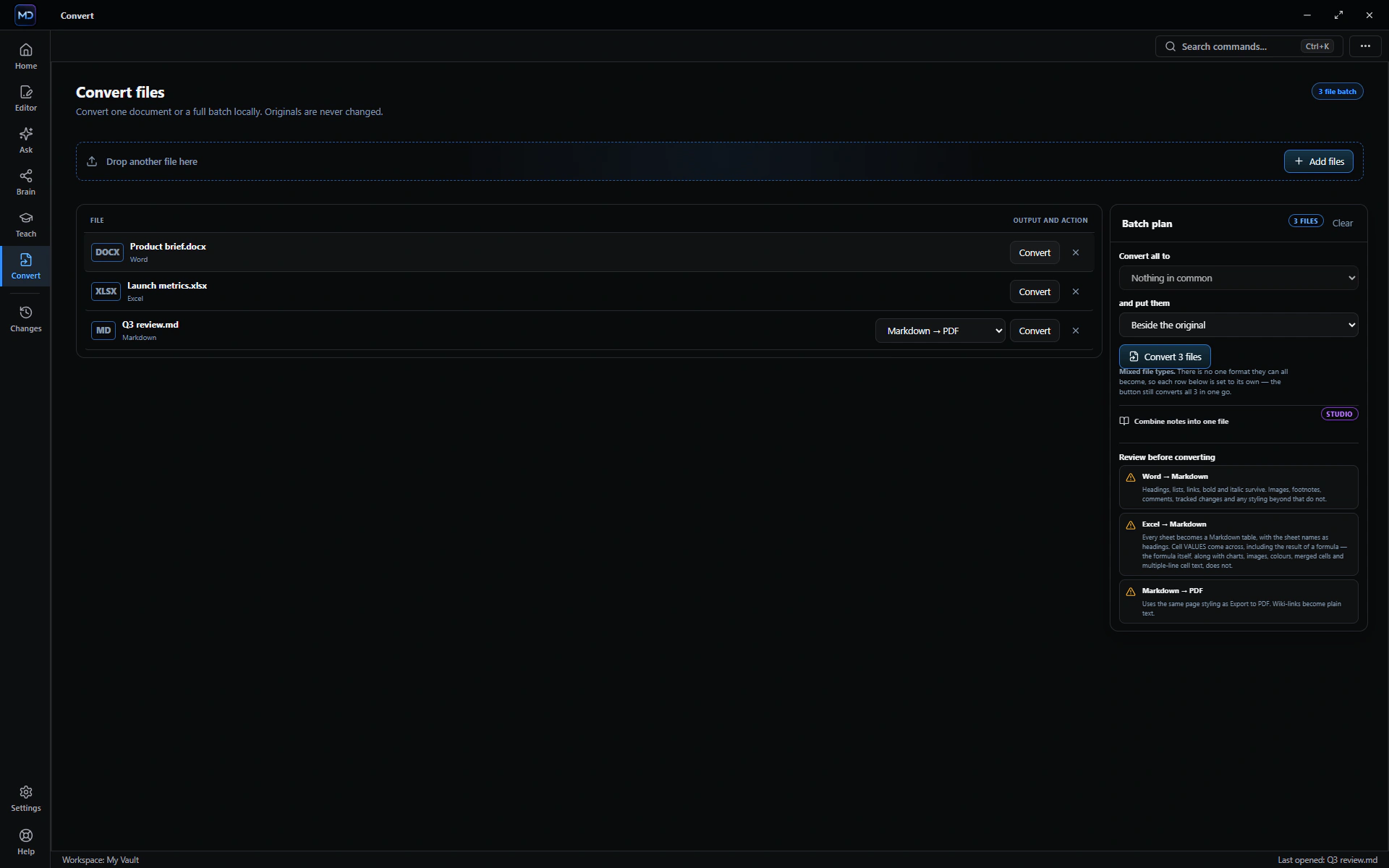
ChatMD Studio Convert with a mixed queue of local files
Convert one file or a mixed queue locally.
View detailed format support

All your formats. One private workspace.

Choose a file family to see what ChatMD Studio can open, edit, convert and use with Ask. The details change because every format has different strengths—and different limits.

From modern and legacy Word files to OpenDocument, Rich Text and everyday notes.

Processed locally Bring your own AI
File formatOpen & readEditConvertAsk
DOCDOCLegacy Word✓ Yes✓ YesLimited✓ Yes
DOCXDOCXMicrosoft Word✓ Yes✓ Yes✓ Yes✓ Yes
ODTODT / FODTOpenDocument✓ YesLimitedLimited✓ Yes
RTFRTFRich Text✓ YesLimitedLimited✓ Yes
TXTTXTPlain text✓ Yes✓ Yes✓ Yes✓ Yes
MarkdownMarkdown.md✓ Yes✓ Yes✓ Yes✓ Yes
DOC and DOCX edit directly while untouched document structure is preserved. ODT and RTF can be read, searched, used with AI and converted into Markdown.

Start free. Upgrade once.

The editor stays useful without buying Studio.

Free forever

Free Editor

$0
  • Markdown editor, templates, links, backlinks and tags
  • Search by words or by meaning — the meaning index stays on this PC
  • Document viewers, files into Markdown, and the Obsidian compatibility report
One purchase

ChatMD Studio

$14.99 once
  • Ask & Chat with Context Packs, Teach and Brain
  • Editor AI, link & tag suggestions and catch-up briefings
  • Changes, recovery, Vault Health and advanced export

No subscription.

Studio is a one-time $14.99 purchase — no subscription, no trial countdown, no per-question or per-file allowance. The editor, viewers, search and conversion into Markdown stay free forever.

Available now on the Microsoft Store.

Install the Free Editor from Microsoft today. Studio is a one-time $14.99 purchase inside the app, with no subscription.

Explore ChatMD Studio Microsoft Store